Software Update: APK installer
- 4.4
- Rating
- 100.00K
- Installs
- Free
- Price

 Analysis by App-foxy
Software Update: APK installer is a small Android utility from Battery Pro Apps that focuses on a task many people forget until it becomes urgent: checking whether the phone’s installed software needs attention. I approached it as a practical maintenance tool rather than a full security suite, and that distinction matters. Its purpose is to bring update-related actions into one place, including checking pending updates, opening system-app update paths, and looking for a phone software update.
The app is free and aimed at everyone, so the basic idea is easy to understand even if you are not comfortable digging through Android settings. I found the appeal strongest for people who use an older phone, manage a family member’s device, or simply want a visible reminder that updates deserve occasional attention. It is listed in the Libraries & Demo section, but in daily use I would think of it more as a lightweight Android maintenance shortcut.
My main recommendation is to treat it as an organizer for update checks, not as proof that every update is available through the app itself. Android manufacturers control much of the actual update process, and the phone’s model, carrier, region, and software version can affect what appears. The app can make the route easier to find, but it does not replace the phone maker’s update system.
You May Also Like

 Blood Strike: 2.5 Anniversary
Blood Strike’s Loadouts Turn Every Drop Into a Tactical Gamble
A close look at Blood Strike’s custom loadouts: how fast access to signature weapons reshapes its battle royale rhythm, rewards preparation, and narrows the gap between fights.

 Pandora - Music & Podcasts
Pandora’s Music Is Easy to Start, but Harder to Recover
Pandora’s strength is its low-effort path from a seed to a station. Its weak spot is how much confidence it asks you to place in connection, setup, and quiet recovery.

 8 Ball Pool
 Is Built on Rivalries, Rematches, and Routine
A close look at the rivalries, rematches, shared routines, and unanswered safety questions that turn a quick pool match into a persistent mobile community.

 Samsung Music
’s Quiet Strength Is Playing What You Already Own
Its reach comes less from spectacle than from dependable access to a personal library. That simplicity is both the app’s strongest retention engine and its ceiling.

 AccuWeather: Weather Radar
AccuWeather Review: A Quick, Clear Forecast for Everyday Decisions
For everyday plans, the best forecast is the one you can understand quickly. AccuWeather makes rain timing, radar, and local conditions easy to act on, with a few trade-offs.

 Hill Climb Racing
Why Hill Climb Racing Still Turns Crashes Into One More Run
A tiny car, a bumpy hill and one more upgrade: Hill Climb Racing keeps resurfacing because its simple chaos makes every near-miss feel personal.
More From Our News Desk



What the app is really useful for
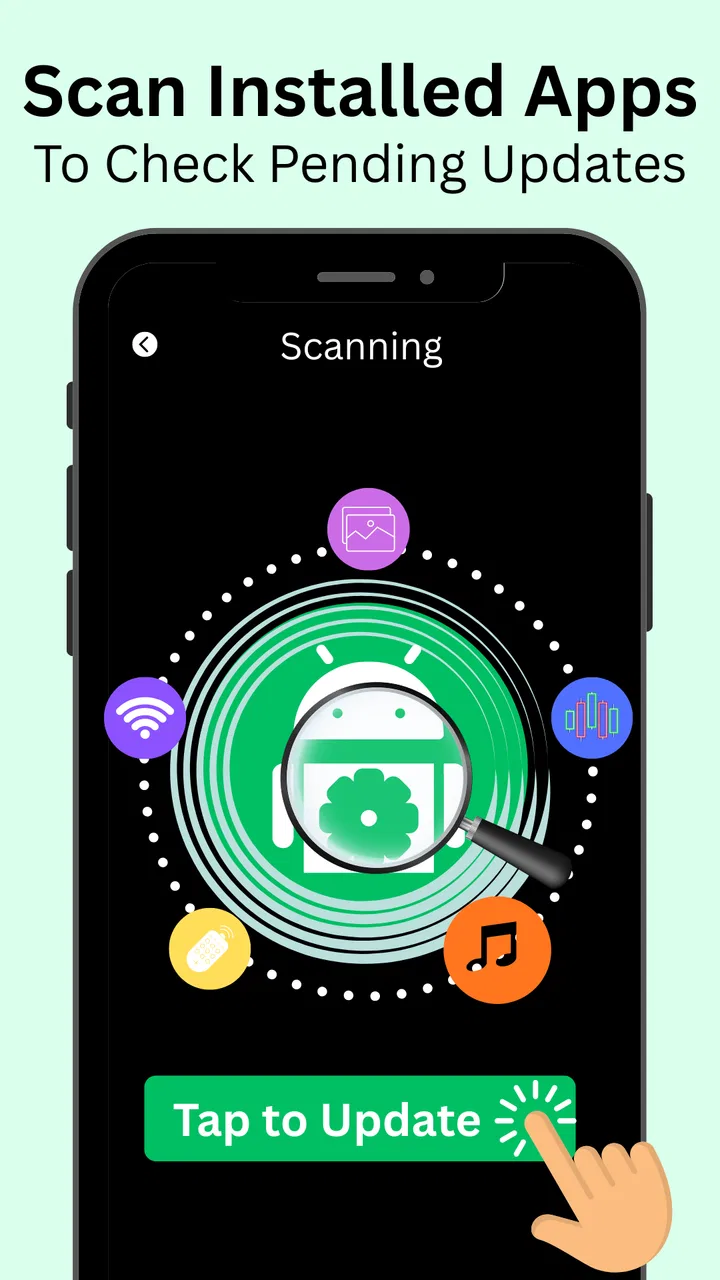
When I install a utility like this, I want to know whether it saves time compared with opening several settings screens. Software Update: APK installer is built around that convenience. Its store summary highlights installed updates, system apps with a click, pending updates, and phone updates. In practical terms, that makes it useful as a starting point when I want to inspect the update status of an Android device without remembering exactly where each manufacturer placed the relevant menu.
The most useful scenario is a quick monthly check. I can open the app, look for pending update routes, and then continue through the phone’s own interface where the update is actually handled. That is more helpful on phones with heavily customized Android menus, where “System update,” “Software update,” and app updates may live in different places. It also gives a less technical user a clear reason to open the tool: check what may need updating, then follow the appropriate path.
It can also help when an app refuses to work properly and the first sensible troubleshooting step is to check for updates. Instead of immediately deleting the app or resetting settings, I would use this utility to inspect both application and phone-update options. That does not guarantee a fix, but it creates a more orderly workflow and reduces the chance of overlooking a routine update.
There is a useful distinction between an installed app update and an Android system update. These are not interchangeable. An app update normally comes through the device’s app marketplace or the developer’s distribution channel, while a system update depends on the manufacturer and sometimes the carrier. A good habit is to use this tool to locate both areas, then read the phone’s own confirmation screens before accepting anything.
How it fits into an ordinary phone routine
I would not leave this running constantly or open it every day. Updates are important, but daily checking is unnecessary for most people and can turn a simple maintenance habit into background worry. A better approach is to use it when setting up a phone, after noticing unusual app behavior, before traveling, or when helping someone who is unsure whether their device is current.
For a family member, the workflow is especially straightforward: open the utility, inspect the available update choices, and let the phone’s own settings show the final details. That last step is important because the device itself is the place to verify what will be installed, how large it is, whether Wi-Fi is recommended, and whether a restart will be required. The app is most valuable when it gets a user to that information quickly.
It is also handy after a factory reset or when moving to a replacement device. A reset phone may need several rounds of app and system maintenance before it feels normal again. Rather than guessing which settings menu to use, I can begin with the update utility, work through the available routes, and then restart only when Android requests it. This is a modest benefit, but it is the kind of small convenience that can make setup less frustrating.
What I would check before trusting any update prompt
Because the app deals with software maintenance, I would avoid treating every update prompt as an automatic instruction. I prefer to confirm the app name, the publisher shown by the phone, the requested permissions, and the destination screen before proceeding. The safest point of reference remains the Android system interface and the official app marketplace already associated with the device.
This is not a criticism unique to this utility. Any app that helps users reach update-related actions deserves careful handling because the word “update” can make people lower their guard. I would never install an APK from an unfamiliar source merely because a third-party screen recommends it. If the phone’s own update page does not support an action, I would stop and investigate rather than forcing the process.
The developer shown for this app is Battery Pro Apps. That name is useful context when checking the app’s identity in Android’s application settings. I also like to compare the name and icon on the installed device with the listing I intended to use. Small identity checks are worthwhile here because an update helper should reduce confusion, not create another layer of it.
Permissions, data choices, and moments that deserve attention
Trust is difficult to judge from a utility’s purpose alone. Before using it, I would open Android’s app-information page and review the permissions currently granted. That gives me a device-specific view of what the installed version can access. If a permission seems unrelated to checking update routes, I would pause, deny it where Android allows, or uninstall the app and use the built-in settings instead.
I would also look at the app’s battery and mobile-data behavior after using it a few times. An update checker should be something I open when needed, not a tool that makes me wonder why it is active in the background. Android’s privacy dashboard and permission manager are useful companions for this kind of review because they show choices and access in the operating system’s own language.
When an update is ready, the sensitive moment is not necessarily the first screen in the utility. It is the point where Android asks for confirmation, downloads software, or requests a restart. I would read that screen carefully, check that the device is connected to a trusted network, and make sure the battery is sufficient. For a large system update, I would also avoid starting the process when I need the phone immediately.
Account control matters too. If the update path opens the device’s marketplace or manufacturer settings, I would confirm that the correct account is active before approving anything. This is particularly important on shared phones. A shortcut should never be a reason to skip checking which account is being used, what is being installed, or whether the action belongs to the device owner.
Where it is better than the usual alternatives
The obvious alternative is to use Android’s built-in Settings app and the device’s app marketplace directly. For confident users, those tools are usually the better choice because they are already installed, closely tied to the operating system, and less dependent on a separate utility. They also provide the final update information that matters most.
Software Update: APK installer makes more sense when the standard routes are difficult to locate. Manufacturers arrange menus differently, and a person moving between brands may not remember where the update controls are. In that situation, a dedicated starting point can be more approachable than searching through Settings. I see it as a navigation aid, not a replacement for the official channels.
Compared with a broader phone cleaner or optimization app, this one has a narrower purpose. That can be an advantage. I would rather use a focused update tool than a crowded dashboard that mixes updates with storage cleaning, memory claims, battery promises, and unrelated recommendations. Narrow scope makes it easier to understand why I am opening the app and what result I expect.
On the other hand, people looking for detailed security information, backup management, device diagnostics, or manufacturer-specific support should choose a more specialized solution. This app is not the right substitute for a security scanner, a backup service, or the support application supplied by a phone maker. Its usefulness comes from simplicity, and simplicity also limits how much technical explanation it can provide.
Practical limitations I noticed in the concept
The biggest limitation is that a third-party utility cannot manufacture an update that the manufacturer has not released. If the phone says it is current, the app cannot change that outcome. If an update is delayed for a particular model or region, the shortcut will not remove that delay. Users expecting one-tap universal updating may therefore find the experience less powerful than the name suggests.
There can also be a difference between discovering an update and installing it. The app may guide me toward the relevant area, but the phone’s own system still determines compatibility, download conditions, installation timing, and restart behavior. I consider that separation healthy, but it means the app should be judged on convenience rather than on independent update authority.
Another limitation is that update information can become confusing when several components are involved. Android system updates, security updates, manufacturer interfaces, and individual applications may each follow different schedules. I would keep notes about what I actually updated instead of assuming that one successful check means the entire phone is current.
People who already know their device’s settings menus may not gain much from installing another app. On a simple Android interface, opening Settings and the marketplace directly can be quicker. The extra utility is most justified when it improves discoverability for a less technical user or provides a repeatable maintenance routine across unfamiliar devices.
Who should use it and who should skip it
I would recommend trying it if you want a simple place to begin checking pending app and phone updates, especially on an Android device whose menus are unfamiliar. It may also suit someone helping relatives with routine maintenance, because the conversation becomes easier when you can say, “Open this, choose the relevant update route, and read the phone’s confirmation screen.”
I would be more cautious if you are comfortable with Android Settings and want the fewest installed applications possible. In that case, the built-in tools already cover the essential job. I would also skip it if you expect advanced diagnostics, guaranteed update delivery, automatic security management, or detailed privacy controls inside the utility itself.
Parents and caregivers should make the final update decisions themselves rather than asking an inexperienced user to accept every prompt. The age rating is Everyone, but that does not mean every update action is consequence-free. A system update can change the interface, consume storage, require a restart, or affect how an older device behaves. Guidance is still useful even when the app is easy to open.
What the listing and version tell me
The app was released on October 14, 2020, and the current version is 1.2.0. It has reached over one hundred thousand installs and holds a 4.4 average from around two thousand ratings, with sixty written reviews. Those figures suggest that it has found an audience, but I would not use popularity as a substitute for checking how it behaves on my particular phone.
It supports Android 5.0 and newer, which gives it a broad compatibility range. That is useful for older devices, although older Android versions can have different settings layouts and update limitations. I would pay close attention to what the phone itself reports rather than assuming that broad app compatibility means every update feature will work identically across all manufacturers.
The app is free, which lowers the barrier to testing it. I would still review the normal Android app-information screens after installation and remove it if it does not add value. Free utilities are easiest to evaluate when I give them a specific job and a short trial: can I reach the correct update screen more easily, and does the workflow remain clear without creating extra uncertainty?
My cautious verdict after using it
Software Update: APK installer is best understood as a convenient doorway into update-related maintenance. I like the focused purpose, the approachable workflow, and the fact that it can help bridge the gap between a confusing manufacturer interface and the official Android screens where decisions are made. For occasional checks and family tech support, that is a legitimate benefit.
My caution is equally clear: I would verify every permission, confirm the app’s identity, and rely on Android’s own confirmation screens before downloading or installing anything. I would not use a third-party shortcut as permission to install an APK from an unknown source, bypass a manufacturer restriction, or assume that a phone is fully protected after one check.
For me, the app earns a place only when it makes update navigation easier than the built-in alternatives. If it does that on your device, the free installation is easy to justify. If your phone already presents clear update controls, Settings and the official marketplace remain the cleaner choice. Use this app as a cautious guide, keep control of each approval, and let the phone’s trusted system screens make the final call.
FAQs for Software Update: APK installer
01What is Software Update: APK Installer and how does it work?
Software Update: APK Installer is an app designed to help users manage and update their Android applications efficiently. It scans your device for installed apps and provides notifications when updates are available. The app simplifies the updating process by allowing users to download and install APK files directly, ensuring all your apps remain up-to-date.
02Is Software Update: APK Installer safe to use?
Yes, Software Update: APK Installer is generally safe to use. It does not contain any malware or harmful software. However, users should ensure they download the app from reputable sources like the Google Play Store. Additionally, be cautious when installing APK files from unknown sources to avoid potential security risks.
03Does Software Update: APK Installer require root access?
No, Software Update: APK Installer does not require root access to function. It operates within the standard Android permissions framework, making it accessible to most users without the need for advanced technical knowledge. This makes it safe and easy for anyone to manage app updates without compromising their device’s security.
04Can I use Software Update: APK Installer on iOS devices?
No, Software Update: APK Installer is specifically designed for Android devices. iOS has a different operating system and app management process that doesn’t support APK files. iOS users should use the Apple App Store for app updates and management, as it ensures compatibility and security.
05What are the benefits of using Software Update: APK Installer?
Using Software Update: APK Installer offers several benefits, including the ability to manage app updates more efficiently and the convenience of directly downloading APK files. This helps keep your apps current, potentially improving app performance and security. The app also saves time by notifying you of updates, so you don’t have to manually check each app.
Pros
- User-friendly interface for easy navigation.
- Supports bulk APK installation efficiently.
- Regular update notifications to stay current.
- Compatible with a wide range of devices.
- Lightweight app with minimal resource usage.
Cons
- Ads can be intrusive at times.
- Requires manual permission for installations.
- No option for automatic updates.
- Limited support for older Android versions.
- Occasional bugs during APK installation.

Software Update: APK installer
Gallery